Palo Alto conversion
As Palo alto supports XML output format, here is the steps for getting config and policy fro PAN-OS:
File Base
Policy and Config
Login to PAN-OS through cli or console.
Execute
set cli config-output-format xmlcommandEnter to config mode with
configureExecute
showcommandCopy the output into file
Supported file extensions is .log and .txt
Because of Palo Alto XML formatted that is not standard, it is important to wrap up entire output with <root> and </root> tag.
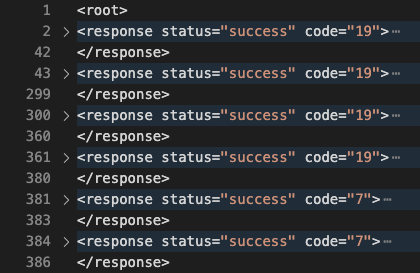
Final step
Got to After conversion
